Something on this phone
is talking. We're listening back.
ENCLAY watches every connection your apps make and silently cuts off the ones headed toward stalkerware, spyware, and malware infrastructure, before the handshake finishes.
 NCSAI C3IR &
  ARPSyndicate
It looks like an app someone
installed on purpose,
because someone did."
Stalkerware is not a virus. It's a working product, sold openly, marketed as "parental monitoring" or "employee oversight," and installed by someone with physical access to a device: a partner, an ex, an employer. Once running, it reads messages, tracks location, and in some cases listens through the microphone, then quietly uploads what it finds.
That's exactly why signature-based antivirus mostly misses it. A scanner looks for code that shouldn't be there. Stalkerware isn't malicious code by that definition. It's doing precisely what it was installed to do. Nothing about its file signature looks wrong, because nothing about it is broken. It's working as intended, against the person carrying the phone.
There is one thing every app in this category cannot avoid, no matter how well it hides its icon or renames its process: it has to send what it collects somewhere. That outbound connection (to a command server, a collection endpoint, an operator's dashboard) is the one behavior detection doesn't need to know an app's name to catch.
This is also where ENCLAY draws a hard line around what it's for. It does not make you anonymous. It doesn't hide your IP, mask your identity, or route your traffic through anyone else's server. What it does is refuse to let something already on your device reach whoever it's reporting to: protection against intrusion, not a promise of invisibility.
Four steps, before every connection is allowed through.
No proxy server, no relay, nothing about the content of your traffic ever leaves the device. The block/allow decision happens locally, in milliseconds.
Claim the device's network
ENCLAY runs as a standard Android VpnService: no root, no system modification. Every app's traffic, IPv4 and IPv6 alike, is routed through a local TUN interface that ENCLAY, and only ENCLAY, can see.
Inspect at the protocol level
DNS queries, TLS ClientHello/ServerHello handshakes, SNI hostnames, certificate chains. Encrypted DNS (DoH/DoT) is deliberately forced back to plain DNS, so a domain rule can't be silently routed around.
Cross-reference against a local threat index
Built from a wide set of public intelligence feeds plus threat intelligence ENCLAY maintains privately, refreshed every 8 hours and merged into one on-device index. No lookup ever leaves the phone.
Decide before the handshake completes
A match is refused with an immediate RST, indistinguishable to the app from the destination simply refusing the connection. Everything else is quietly let through, and logged for you to see.
Everything ENCLAY actually does.
Not a feature list written for a store page. This is the real detection, visibility, and control surface running on-device today.
IP & domain blocking
76,000+ IPv4 and IPv6 ranges and 3M+ malicious domains, merged from public and proprietary feeds into one local index.
JA3 passive fingerprinting
Flags a connection by the exact shape of its own outbound TLS handshake, catching known-bad clients even on an unlisted IP.
JARM active fingerprinting
Opt-in: actively probes a new TLS destination with ten crafted handshakes to identify C2 frameworks like Cobalt Strike or Metasploit by server fingerprint alone.
Encrypted-DNS override
DoH and DoT are forced back to plain UDP:53, so DNS-based evasion can't quietly slip past domain rules.
Country blocking
Refuse all traffic to or from an entire country, enforced against the same on-device GeoIP index used for display.
Known-stalkerware app scan
Cross-references every installed app, by package name and by APK signing certificate, against 646 packages from 158 known commercial stalkerware and monitoring-software vendors. Catches a dormant install with no suspicious traffic yet, and renamed variants that reuse a known vendor's signing key.
Banking-trojan & infostealer app scan
A separate known-package and signing-certificate index for infostealers, banking trojans, and RAT builder tools, matched the same way as the stalkerware scan. Kept as its own list on purpose: a different threat category deserves its own honest coverage, not one badge for two different risks.
Cryptomining pool blocking
Blocks known cryptocurrency mining-pool domains and IPs, and treats a connection on a common Stratum mining-pool port as a corroborating signal alongside other suspicious traits, never a verdict on its own.
Overlay & banking-trojan attack detection
Flags apps granted the ability to draw over other apps' windows, the exact mechanism banking-trojan malware uses to paint a fake login screen on top of a real one. Legitimate chat heads and screen dimmers use it too, so this only escalates when paired with another signal.
Competing-VPN detection
Android allows only one active VPN tunnel at a time. Flags installed apps that could themselves run one and silently displace ENCLAY's own tunnel, taking over your traffic with no visible warning.
Beaconing detection
Command-and-control clients and most stalkerware "phone home" on a timer, not on demand: check in every few minutes, upload, wait, repeat. ENCLAY watches the interval between an app's connections to the same destination and flags the pattern when it's suspiciously regular, the way a person's real usage rarely is.
Redirect-chain detection
Clusters a browser's rapid burst of connections to different hosts into one navigation chain, and flags it if any hop led to known-malicious infrastructure. Scoped to actual browser apps, not background app traffic.
Permission-to-network correlation
Flags a new destination that appears within minutes of a sensitive permission grant (camera, microphone, or location), a common signature of data being collected and immediately shipped out.
Live Feed
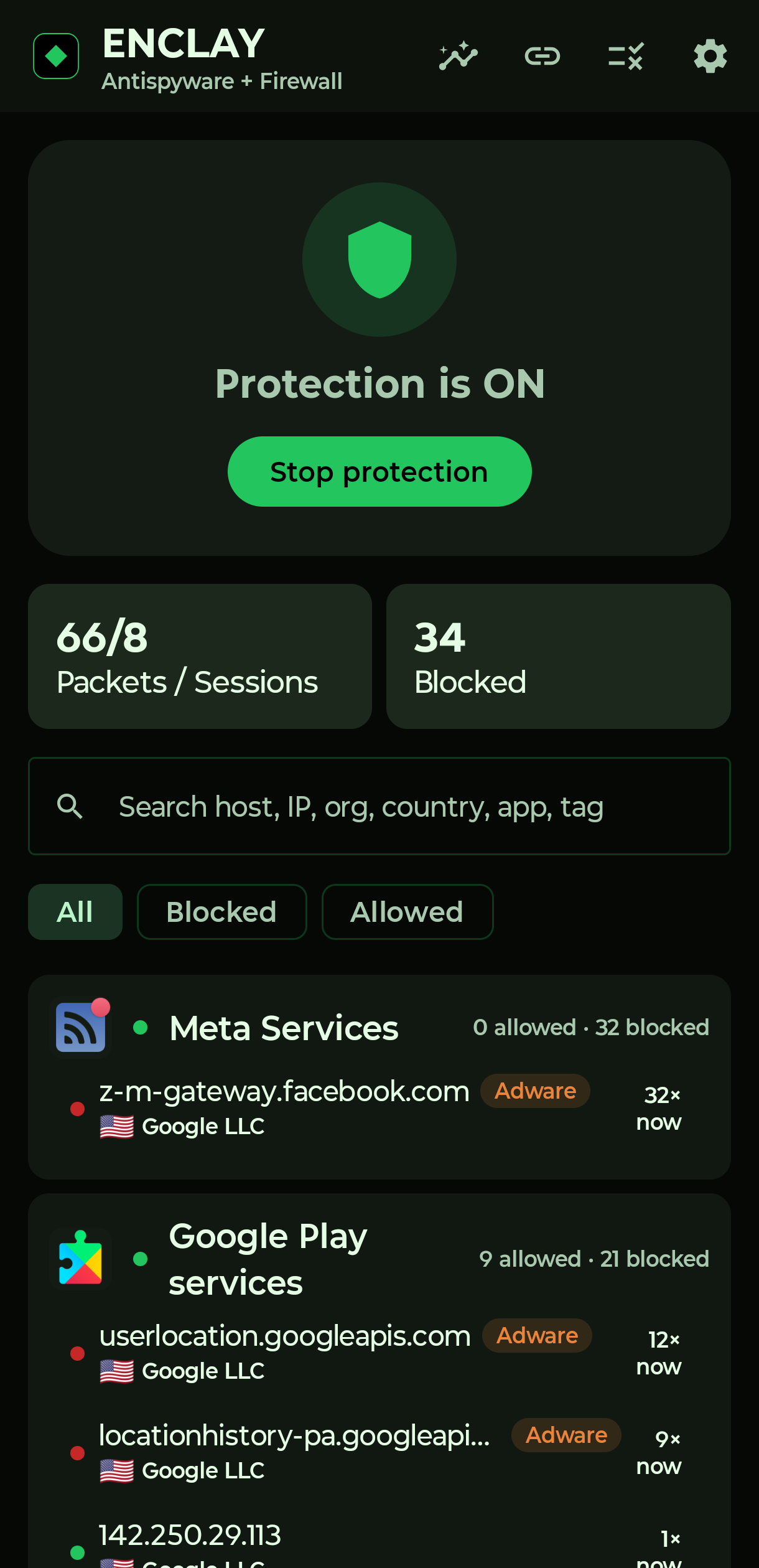
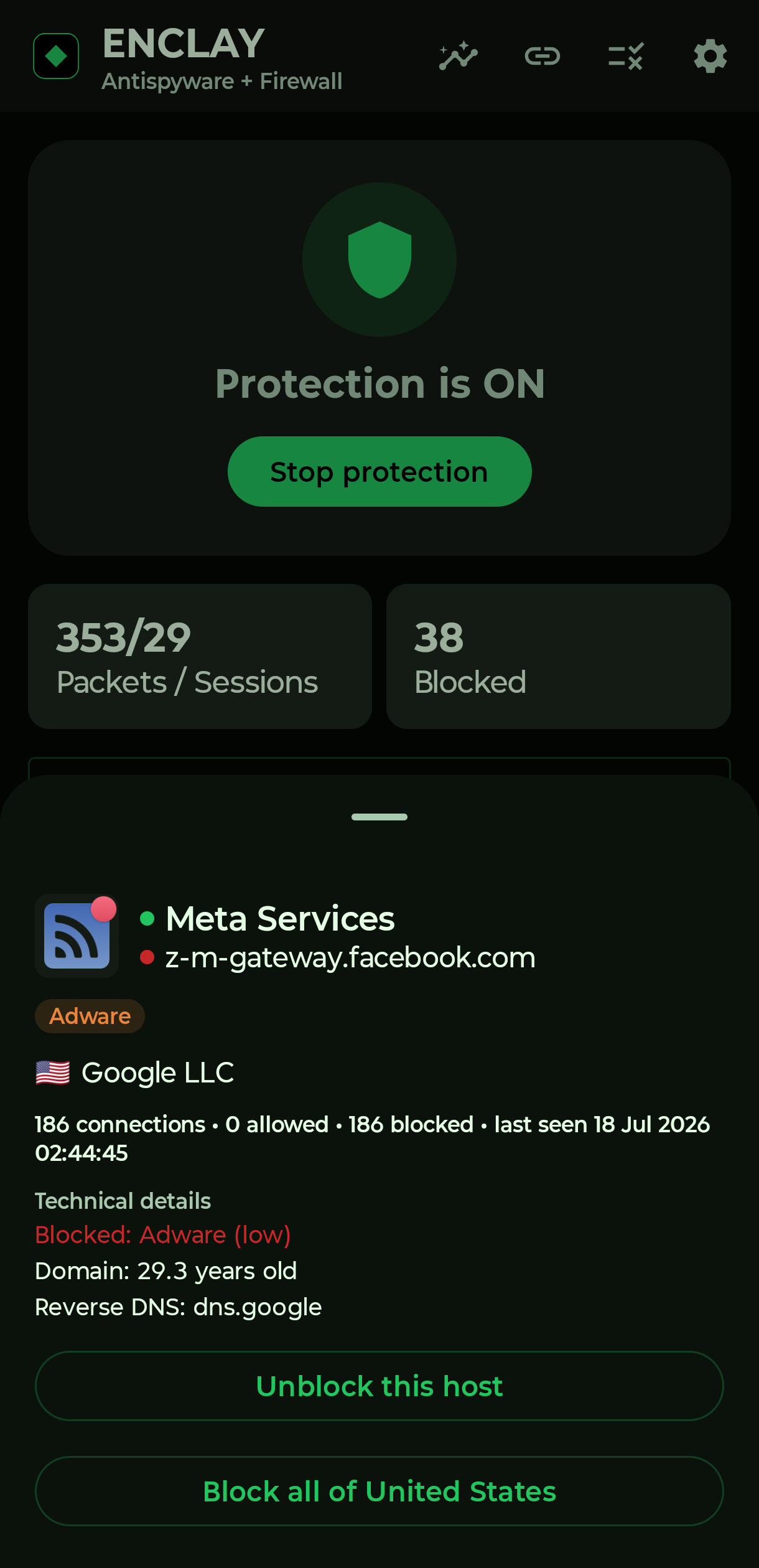
Every connection, every app, in real time, searchable by host, IP, organization, country, or threat category.
App Profile
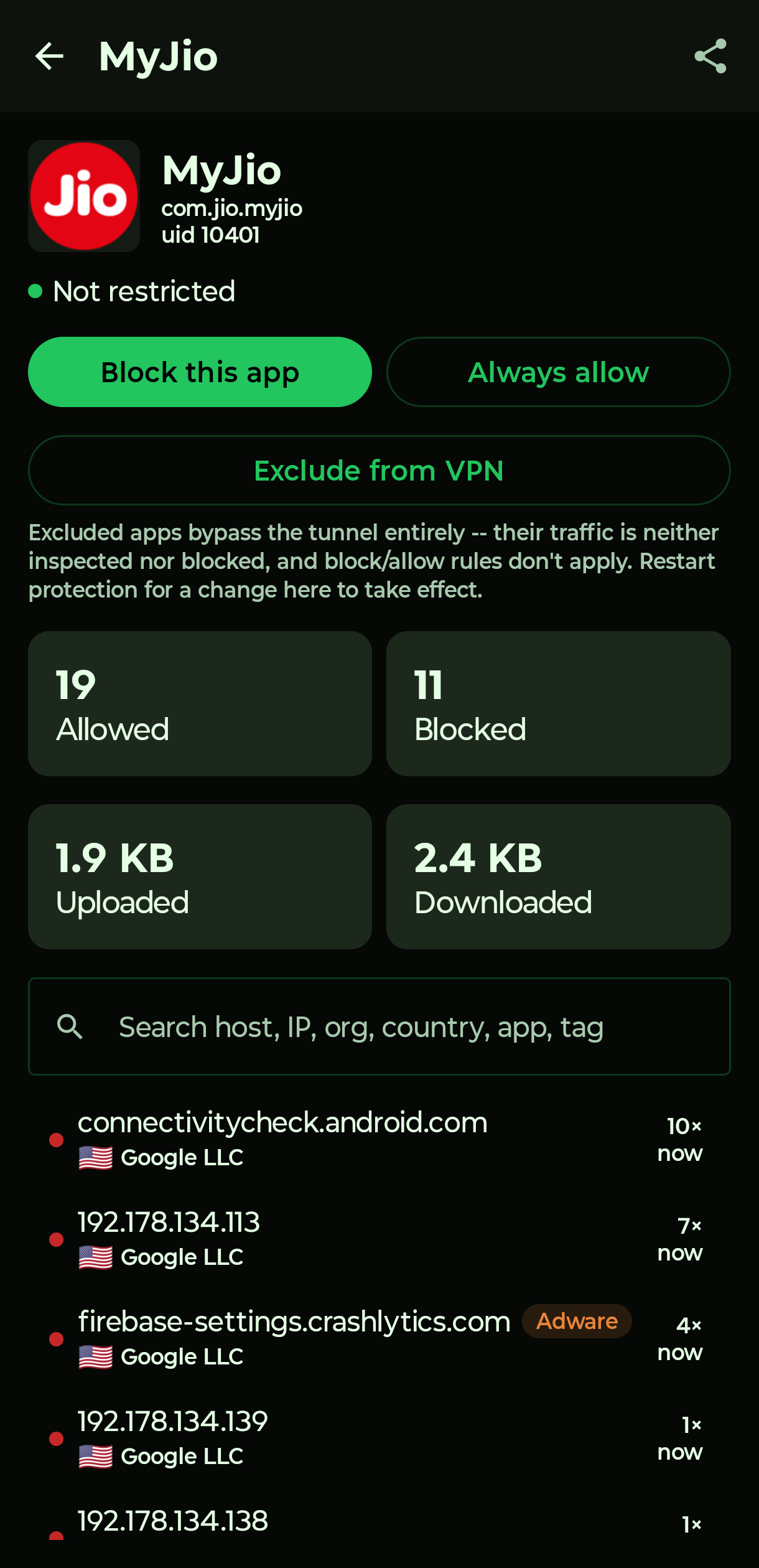
Per-app host history, data usage, and connection patterns, isolated from the rest of the device's traffic.
Domain age (RDAP)
Flags infrastructure registered days, not years, ago, one of the more reliable phishing and malware tells.
Reverse DNS & hosting class
Tells you when a destination sits on bare cloud/VPS infrastructure instead of a named, recognizable service.
Certificate inspection
Subject, issuer, expiry, and self-signed detection, read directly from the live TLS handshake.
DNS enrichment
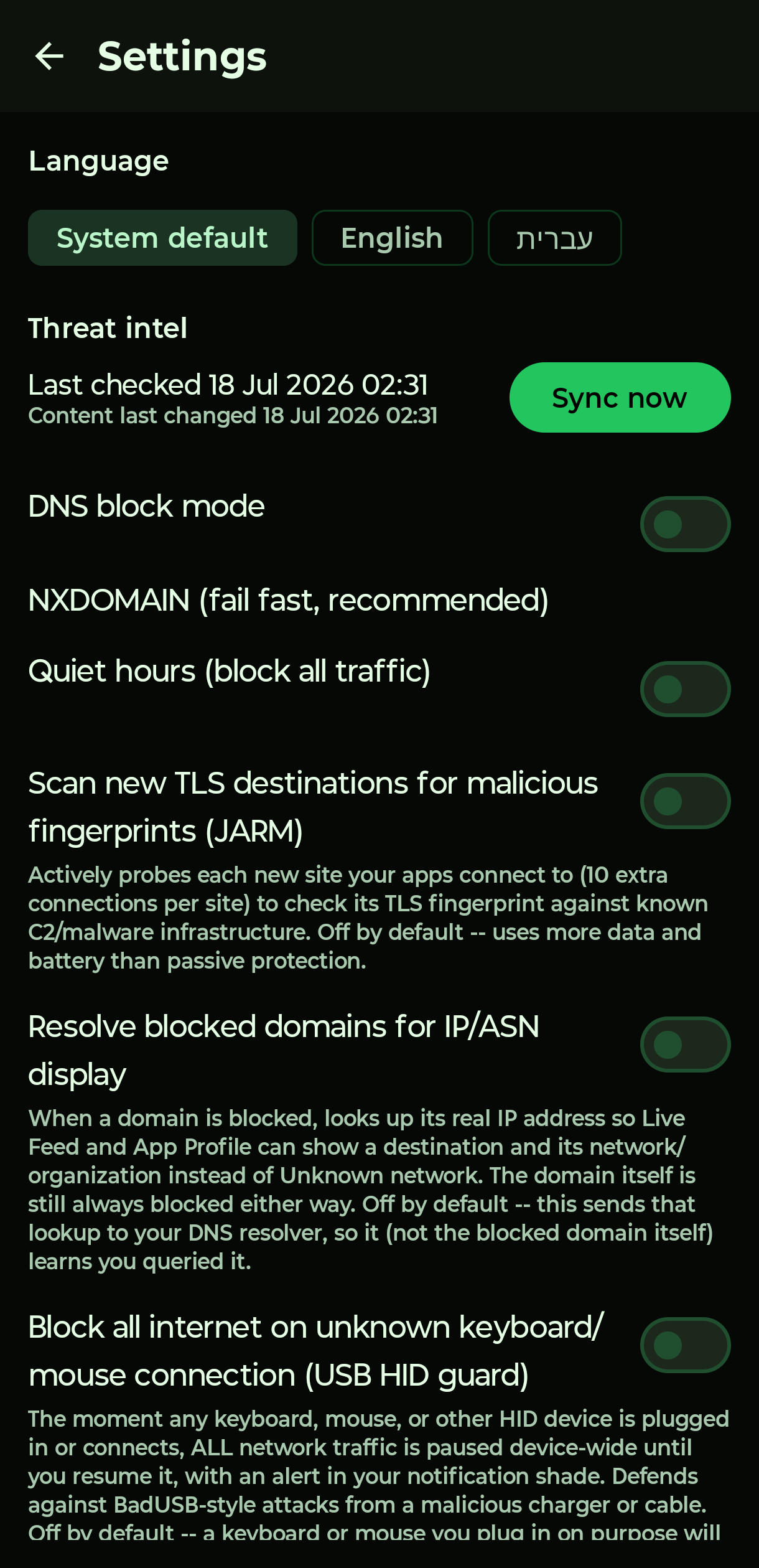
Opt-in: resolves a blocked domain's real IP purely for display, so a DNS-level block still shows a real IP and ASN instead of the meaningless in-tunnel address.
Immediate new-install audit
A newly installed app gets its permission snapshot the moment it lands, not after waiting up to an hour for the periodic scan — no blind spot in that app's permission timeline from minute one.
Install-age-aware permission correlation
Enriches the new-destination-after-permission-grant signal with how long the app had sat quietly installed before asking: a permission granted the day an app was installed reads very differently from the same grant six months in.
Possible interception detection
A domain that has consistently used TLS 1.3, invisible to any inspector, suddenly showing a visible certificate has almost no innocent explanation: most proxy-based interception tools (a pushed workplace or parental-control certificate) can't see or rewrite an encrypted TLS 1.3 handshake, so they force a downgrade to see it. Flagged only once independently observed from more than one app, the same corroboration discipline used everywhere else here. It cannot see interception by a competing on-device VPN app — Android only runs one VPN at a time — and says so plainly rather than overclaiming.
Unusual upload-volume detection
Compares an app's upload volume today against its own recent daily average, catching a bulk data dump that happens at an ordinary time of day and would otherwise slip past timing-based detection entirely.
Unexpected-network resolution
Notices when an app's own connection to a familiar domain resolves onto a network it hasn't itself seen for that domain recently. Deliberately scored as a weak, corroborating signal only: switching Wi-Fi networks and ordinary CDN failover produce the same pattern completely legitimately.
USB HID lockdown
A BadUSB attack arrives disguised as a charger or cable, registers itself as a keyboard the instant it's plugged in, then types out commands before anyone can react. ENCLAY watches for exactly that signature: the moment any keyboard- or mouse-class device attaches, every connection already open is severed and all new traffic is blocked, device-wide, in real time, with an alert that stays in the notification shade until it's resumed by hand. Opt-in, since a keyboard plugged in on purpose trips it too.
Safety report export
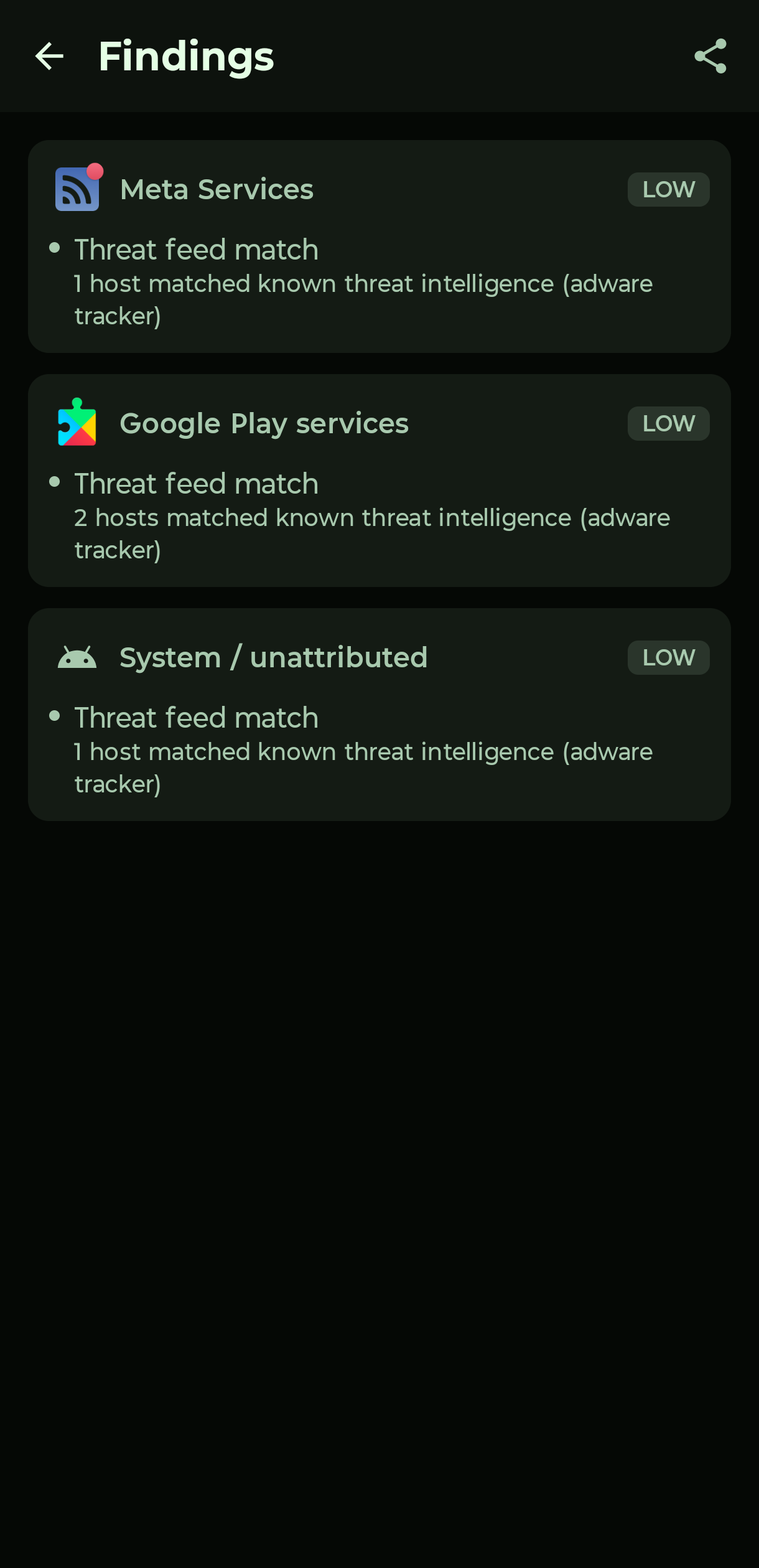
Every detected finding, threat-feed matches, beaconing, permission-to-network correlations, known-stalkerware app matches, exports as one PDF with a single tap: built for handing to a shelter, a lawyer, or law enforcement, not just for your own reading.
One-tap host & app rules
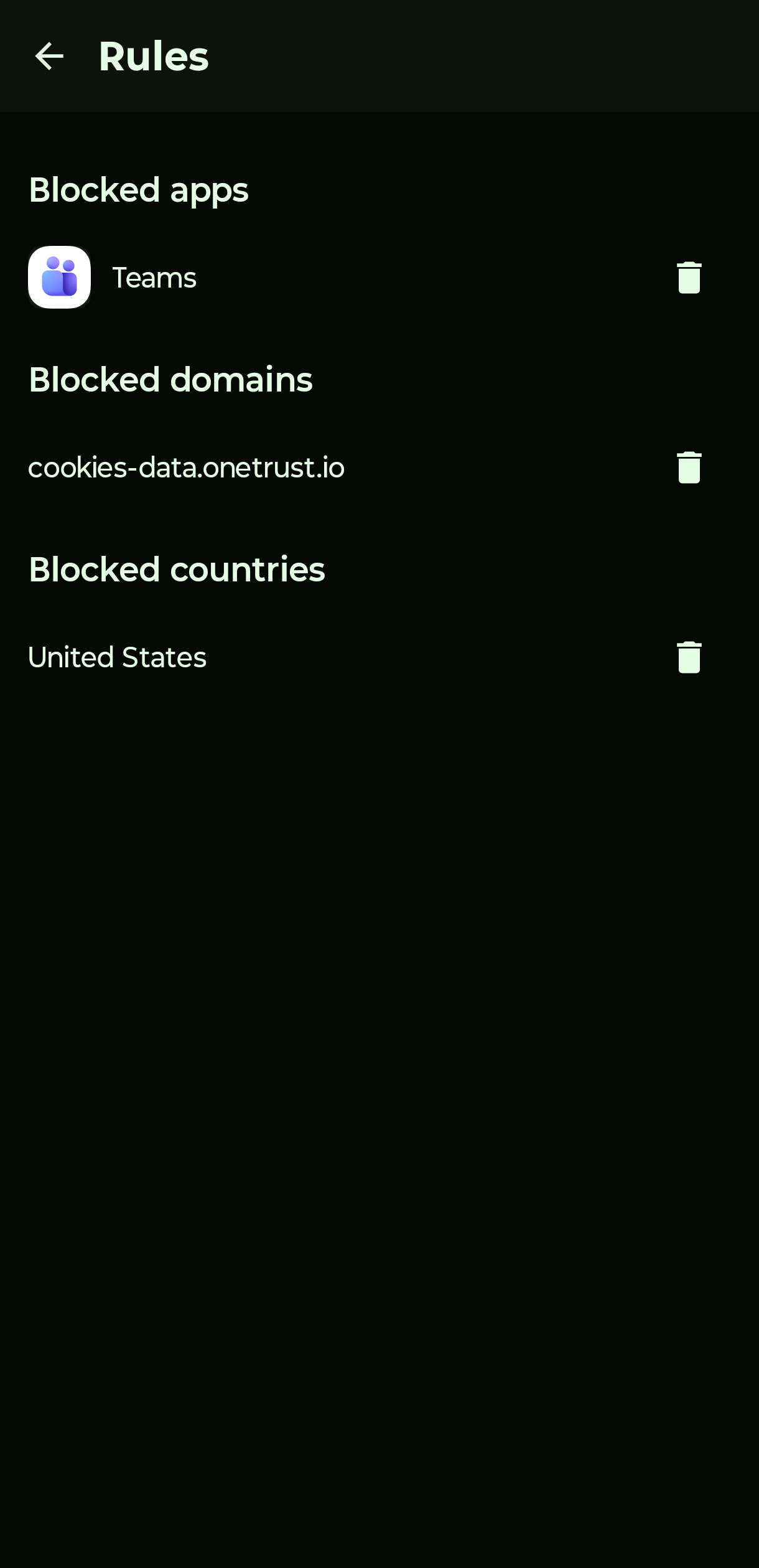
Block or allow any host, app, or country the instant you see it. No separate settings screen required.
Per-app VPN exceptions
Let one app, a banking app that refuses to run under any VPN, bypass the tunnel entirely, without turning protection off for everything else.
Quick Settings tile
Start or stop protection straight from the notification shade. No need to open the app.
Private DNS conflict warning
Flags it up front when Android's strict Private DNS mode would silently break all connectivity the moment protection turns on, before you find out the hard way.
System kill switch
Pairs with Android's own "Block connections without VPN" setting for a true kill switch: if the tunnel ever drops, nothing gets through until it's back, instead of silently failing open.
Quiet hours
Block everything on a schedule: no traffic in or out while the device should be asleep.
Status awareness
A notification confirms protection is active for as long as the firewall runs, and can't be swiped away while it's on. If the tunnel ever drops unexpectedly, you're flagged immediately instead of silently failing open.
CSV export
Take your own connection history with you, per app, whenever you want it.
Local enforcement
No account or cloud dashboard needed to use ENCLAY. Every block/allow decision is made on-device.
Self-integrity verification
Checks its own APK signing certificate against the genuine release build on every launch. A mismatch means this specific install, not some other app, may not be trustworthy: someone with physical access decompiled it, patched out the blocking logic, and reinstalled a copy under the same name. Surfaced as its own banner, first, ahead of everything else, not buried in a list of findings about other apps.
Stop-reason awareness
Remembers whether protection was stopped from inside the app or revoked from outside it (system VPN settings, another VPN app taking the slot) and says which, next time you open it — no silent notification, just an honest answer once you're already looking.
What it actually looks like.
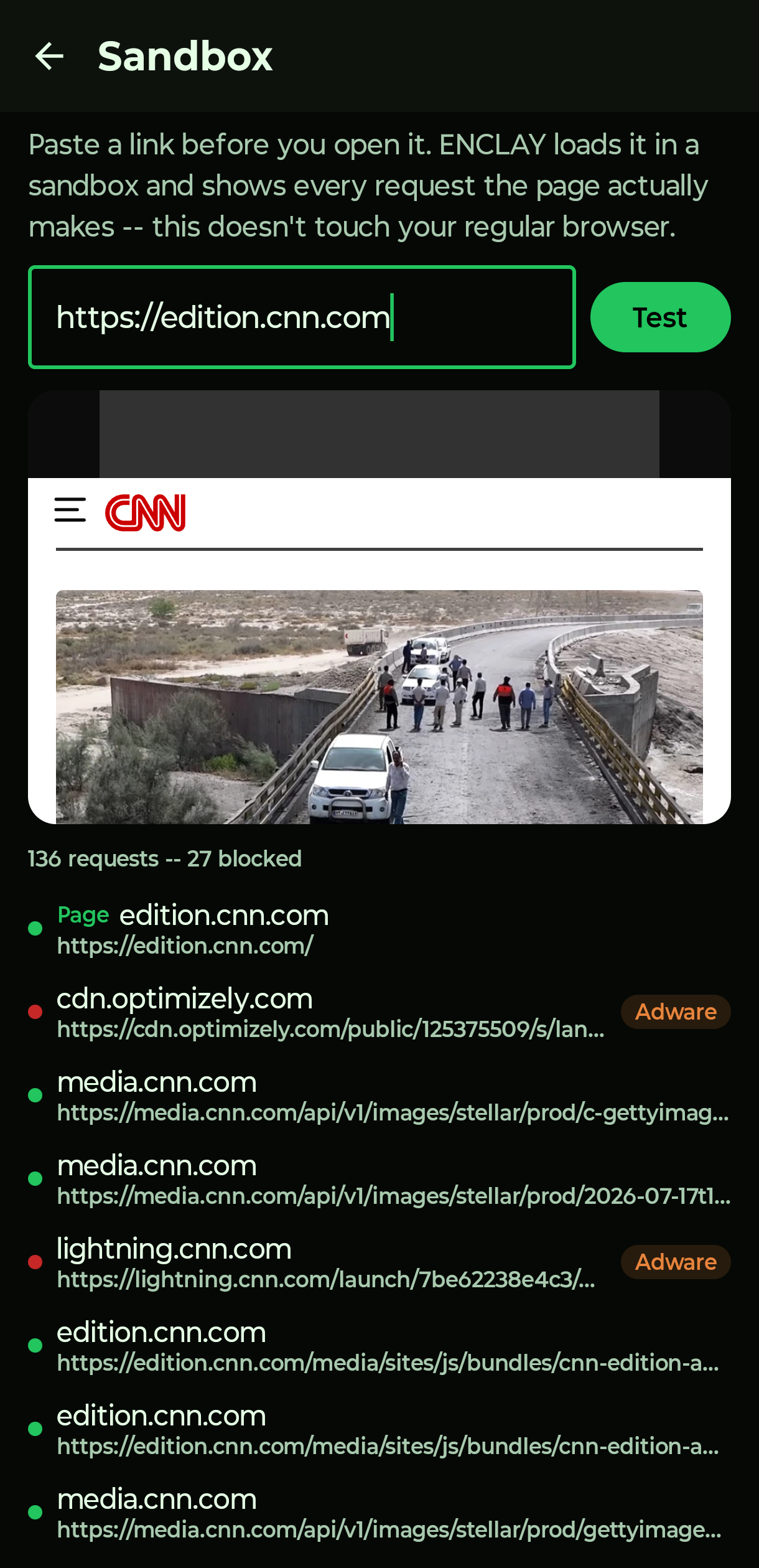
Real screens from a device running ENCLAY, not mockups.
Said plainly, both ways.
Security tools oversell constantly. Here's exactly what ENCLAY is built to do, and just as deliberately, what it is not.
Questions worth answering plainly.
Does ENCLAY require root access?
No. ENCLAY runs as a standard Android VpnService, the same mechanism any VPN app uses. It never requests root, never modifies the system partition, and installs like any other app from the Play Store.
Is ENCLAY a VPN for privacy or anonymity?
No. ENCLAY uses Android's VpnService API to inspect traffic locally, but there's no exit server and no traffic relay. It doesn't hide your IP address or your identity from the sites and services you use. It's an egress firewall against intrusion, not an anonymity tool.
Can ENCLAY detect stalkerware that has no network activity yet?
Yes. Alongside network-based detection, ENCLAY cross-references every installed app's package name and APK signing certificate against known commercial stalkerware, infostealer, banking-trojan, and RAT vendors, so a dormant install with zero traffic so far can still be flagged.
Can ENCLAY detect banking trojans and overlay attacks?
Yes. ENCLAY flags apps able to draw over other apps' windows, the mechanism behind fake-login overlay attacks, and cross-references installed apps against known banking-trojan and infostealer package names and signing certificates.
Does ENCLAY detect cryptomining apps?
Yes. ENCLAY blocks connections to known cryptocurrency mining-pool infrastructure by domain and IP, and treats a connection on a common Stratum mining-pool port as a corroborating signal when combined with other suspicious traits.
What happens if someone tampers with or replaces the ENCLAY app itself?
ENCLAY checks its own APK signing certificate against the genuine release build every time it starts. If the running copy doesn't match, meaning it may have been decompiled, patched, and reinstalled to quietly disable protection, ENCLAY shows a warning banner and offers to reinstall a verified copy from the Play Store.
Can another VPN app silently take over from ENCLAY?
Android allows only one VPN tunnel to be active at a time. ENCLAY flags installed apps that could themselves run a competing VPN tunnel, and separately records whether protection was stopped from inside the app or revoked from outside it, so that isn't a silent blind spot.
Will uninstalling stalkerware with ENCLAY alert the person who installed it?
ENCLAY does not uninstall apps for you, deliberately. Many monitoring apps notify whoever installed them when they're removed. ENCLAY's approach is to cut the app's network access and export a signed safety report first, then walk through a safe-removal checklist, since removing the app is not always the safest first move for someone at risk.
Does ENCLAY send my data to a cloud service?
No. Every detection decision and every piece of connection history stays on the device. There's no account, no cloud dashboard, and no server ENCLAY reports back to.
Your phone talks to a lot of places. Know which ones, and stop the ones that shouldn't hear from it.
No account to create, nothing to configure before it starts working. Just a firewall that actually reads the traffic it's protecting.